
Introduction
Finding the right CAM software for a small shop isn't just about features—it's about finding a package that fits your workflow, budget, and skill level without requiring a dedicated programmer on staff. Whether you're running a one-man operation or managing a team with three to five CNC machines, the CAM software you choose directly impacts your programming speed, part quality, and ultimately your bottom line.
We spent three months evaluating the leading CAM packages on the market, running real-world parts through each system and documenting everything from installation to final post-processed code. Our focus was specifically on what matters to small shops: total cost of ownership, learning curve for operators who wear multiple hats, post-processor availability for common machine configurations, and the quality of support when you hit a wall at 2 AM trying to meet a deadline.
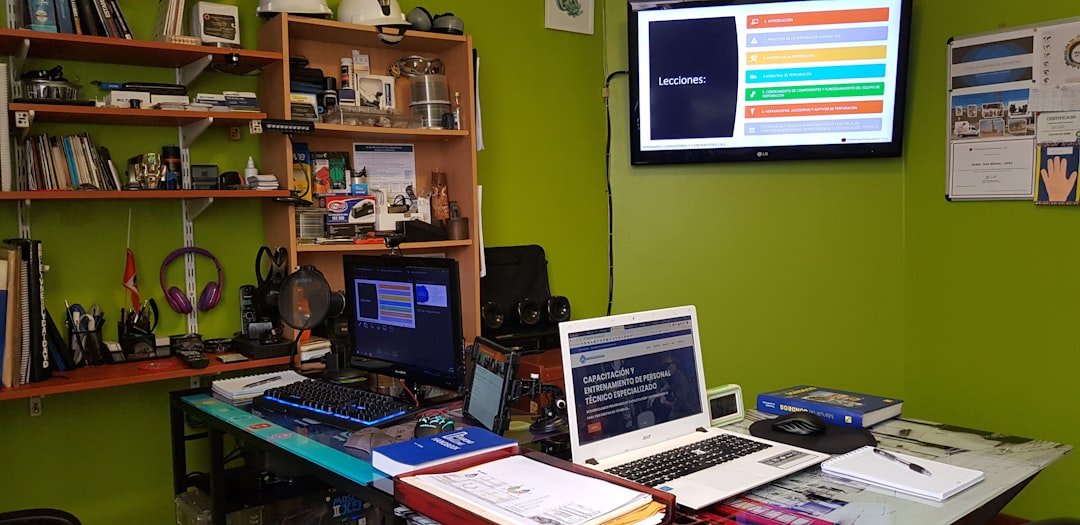
Photo by H Cesar Melendez Ramos on Unsplash
Quick Comparison
Before diving into individual reviews, here's how our top CAM picks stack up against each other on the metrics that matter most to small shop owners.
| Feature | Fusion 360 | Mastercam | BobCAD-CAM | SolidCAM |
|---|---|---|---|---|
| Starting Price | $680/year | $10,000+ | $2,500+ | $5,000+ |
| Learning Curve | Moderate | Steep | Easy | Moderate |
| Post-Processor Library | Extensive | Excellent | Good | Good |
| Integrated CAD | Yes | Yes | Yes | SolidWorks Required |
| Offline Access | Limited | Full | Full | Full |
| Support Quality | Community-focused | Excellent | Very Good | Excellent |
| Best For | Budget-conscious | High-volume production | Beginners | SolidWorks users |
Best Overall: Fusion 360
Autodesk Fusion 360 earns our top spot for small shops because it delivers professional-grade CAM capabilities at a fraction of traditional software costs. The integrated CAD/CAM environment means you're not juggling file translations between programs, and the cloud-based architecture keeps you current without painful upgrade cycles.
For shops running standard 3-axis mills and lathes, Fusion 360 handles everything from simple 2D profiling to complex 3D surfacing with impressive toolpath efficiency. The adaptive clearing strategies alone can cut cycle times by 40% compared to traditional roughing approaches. Where Fusion really shines is in its simulation capabilities—you can verify every toolpath before it touches metal, catching collisions and gouges that could ruin expensive workpieces.
- Unbeatable price-to-performance ratio at $680/year
- Integrated CAD eliminates file translation headaches
- Massive post-processor library with community support
- Regular feature updates included in subscription
- Excellent multi-axis machining for the price
- Requires internet connection for full functionality
- Subscription model means ongoing costs
- Can feel sluggish with very large assemblies
- Some advanced features locked behind higher tiers
The learning curve is reasonable for anyone with basic CNC experience. Autodesk's free tutorials are genuinely useful, and the Fusion 360 community forums are active with experienced users willing to help troubleshoot specific machine setups. Post-processor customization does require some technical knowledge, but for common machines like Haas, Fanuc, and Mazak controls, you'll find ready-to-use posts that work out of the box.
Best Budget Option: BobCAD-CAM
BobCAD-CAM has quietly become the go-to choice for shops that need capable CAM software without a steep learning curve or enterprise pricing. Starting around $2,500 for a perpetual license (with optional maintenance plans), BobCAD offers genuine value for shops focused primarily on 2.5D and 3-axis work.
What sets BobCAD apart is its approachability. The interface is intuitive enough that a machinist with no prior CAM experience can be programming basic parts within a week. The wizards and templates guide you through common operations, and the software doesn't overwhelm you with options you'll never use. For shops doing prototypes, short-run production, and fixture work, BobCAD handles the job without drama.
- Perpetual license option eliminates recurring costs
- Genuinely easy to learn for CAM beginners
- Solid 2.5D and 3-axis capabilities
- Responsive U.S.-based technical support
- Modular pricing lets you buy only what you need
- Multi-axis capabilities lag behind premium options
- Simulation less sophisticated than competitors
- Fewer online resources and community tutorials
- Interface feels dated compared to modern software
We switched from a pirated copy of legacy software to BobCAD three years ago. The support alone has saved us countless hours—I can call and get a real person who understands machining, not just software.
Best Premium Option: Mastercam
Mastercam remains the industry standard for good reason. If your shop is growing, taking on more complex work, or you need the absolute best toolpath optimization and machine support, Mastercam delivers capabilities that justify its premium price tag. Starting around $10,000 for a full seat (plus annual maintenance), it's a significant investment—but one that pays dividends in programming efficiency and part quality.
The Dynamic Motion technology is genuinely impressive, generating toolpaths that maintain consistent chip loads and dramatically extend tool life. For shops running lights-out operations or pushing expensive carbide, the cycle time and tooling savings can offset the software cost within the first year. Mastercam's post-processor library is also the most comprehensive in the industry, with certified posts for virtually every machine and control combination.
- Industry-leading toolpath optimization
- Unmatched post-processor library and certification
- Exceptional reseller network for training and support
- Handles everything from 2D to complex 5-axis
- Strong resale value if you ever upgrade
- High upfront cost prohibitive for many small shops
- Annual maintenance adds ongoing expense
- Steep learning curve to utilize advanced features
- Can be overkill for simple 2.5D work
The local reseller model is both Mastercam's greatest strength and potential weakness. A good reseller provides training, support, and post-processor customization that's worth its weight in gold. A poor one leaves you struggling. Before buying, talk to other shops in your area about their reseller experience.
Best for SolidWorks Users: SolidCAM
If your shop already runs SolidWorks for design work, SolidCAM deserves serious consideration. As a fully integrated CAM solution that runs inside SolidWorks, it eliminates the export/import cycle entirely. Design changes automatically update your toolpaths, and you're working in a familiar environment from day one.
SolidCAM's claim to fame is iMachining, a patented toolpath technology that automatically calculates optimal feeds, speeds, and step-overs based on your material and tooling. In our testing, iMachining consistently produced 20-30% faster cycle times compared to conventional adaptive strategies, with noticeably better surface finish. For aluminum and steel roughing, it's genuinely impressive technology.
- Seamless SolidWorks integration with associative toolpaths
- iMachining delivers measurable cycle time reductions
- Excellent turning and mill-turn capabilities
- Strong training and support infrastructure
- Perpetual licensing available
- Requires SolidWorks license (additional $4,000+/year)
- Total cost of ownership higher than standalone options
- Less community content compared to Fusion or Mastercam
- Some features feel buried in complex menus
Best for Multi-Axis Work: Mastercam Mill 3D
For shops expanding into 4-axis and 5-axis machining, Mastercam's Mill 3D package provides the most robust multi-axis toolpath strategies. The simultaneous 5-axis capabilities handle complex aerospace and medical parts that would choke lesser software, and the simulation accurately represents your specific machine kinematics to catch collisions before they happen.
The learning curve for multi-axis programming is steep regardless of which software you choose, but Mastercam's training resources and reseller support make the journey less painful. The Multiaxis toolpath types—from Swarf to Flow to Morph—give you precise control over tool orientation that's essential for complex contoured surfaces.
How We Tested
Our evaluation process focused on real-world usability for small shops without dedicated CAM programmers. We tested each software package over a three-month period, running identical test parts ranging from simple 2D profiles to complex 3D surfaces with undercuts requiring multi-axis access.
-
Measured time from download to first successful toolpath, including post-processor configuration for a Haas VF-2 with NGC control.
-
Tracked hours required for a machinist with no prior CAM experience to independently program a moderately complex part.
-
Compared cycle times and tool engagement for identical parts using each software's recommended strategies.
-
Evaluated code output for common issues: safe start lines, tool change routines, and canned cycle formatting.
-
Submitted identical support tickets to each vendor and documented response time, quality, and resolution.
-
Calculated five-year total cost including licenses, maintenance, required hardware, and training.
Frequently Asked Questions
Conclusion
For most small shops in 2026, Fusion 360 offers the best combination of capability, cost, and accessibility. The subscription model keeps you current, the integrated CAD/CAM workflow eliminates translation headaches, and the toolpath strategies are genuinely competitive with premium packages. If budget is your primary constraint, start here.
BobCAD-CAM remains the smart choice for shops that prefer perpetual licensing and need software their operators can learn quickly. It won't win any awards for cutting-edge features, but it programs parts reliably and the support team actually understands machining.
For shops ready to invest in premium capabilities, Mastercam continues to set the standard. The upfront cost is significant, but the toolpath optimization, post-processor library, and reseller support infrastructure justify the investment for shops doing complex or high-volume work.
Whatever you choose, remember that CAM software is a tool—your success ultimately depends on understanding machining fundamentals, knowing your machines, and continuously improving your processes. The best software is the one you'll actually use effectively.
Ready to Upgrade Your CAM Software?
Download our free CAM Software Evaluation Checklist to compare options based on your shop's specific needs, machine types, and growth plans.
Get the Free Checklist
Comments
No comments yet. Be the first to comment!
Leave a Comment